Windows 10 reached end of support on October 14, 2025. As of February 2026, 27% of desktops worldwide still run it — unpatched, unprotected, and exposed to every vulnerability published since support ended, according to sobrii's June 2026 Windows 11 migration analysis citing StatCounter data. The math is not subtle. Every month a client's endpoints remain on Windows 10, they either pay Microsoft $61 to $244 per device per year for Extended Security Updates — a fee that doubles annually over three years — or they accept operating an unpatched OS in a production environment where the 2025 Verizon breach analysis found ransomware involved in 44% of confirmed incidents.
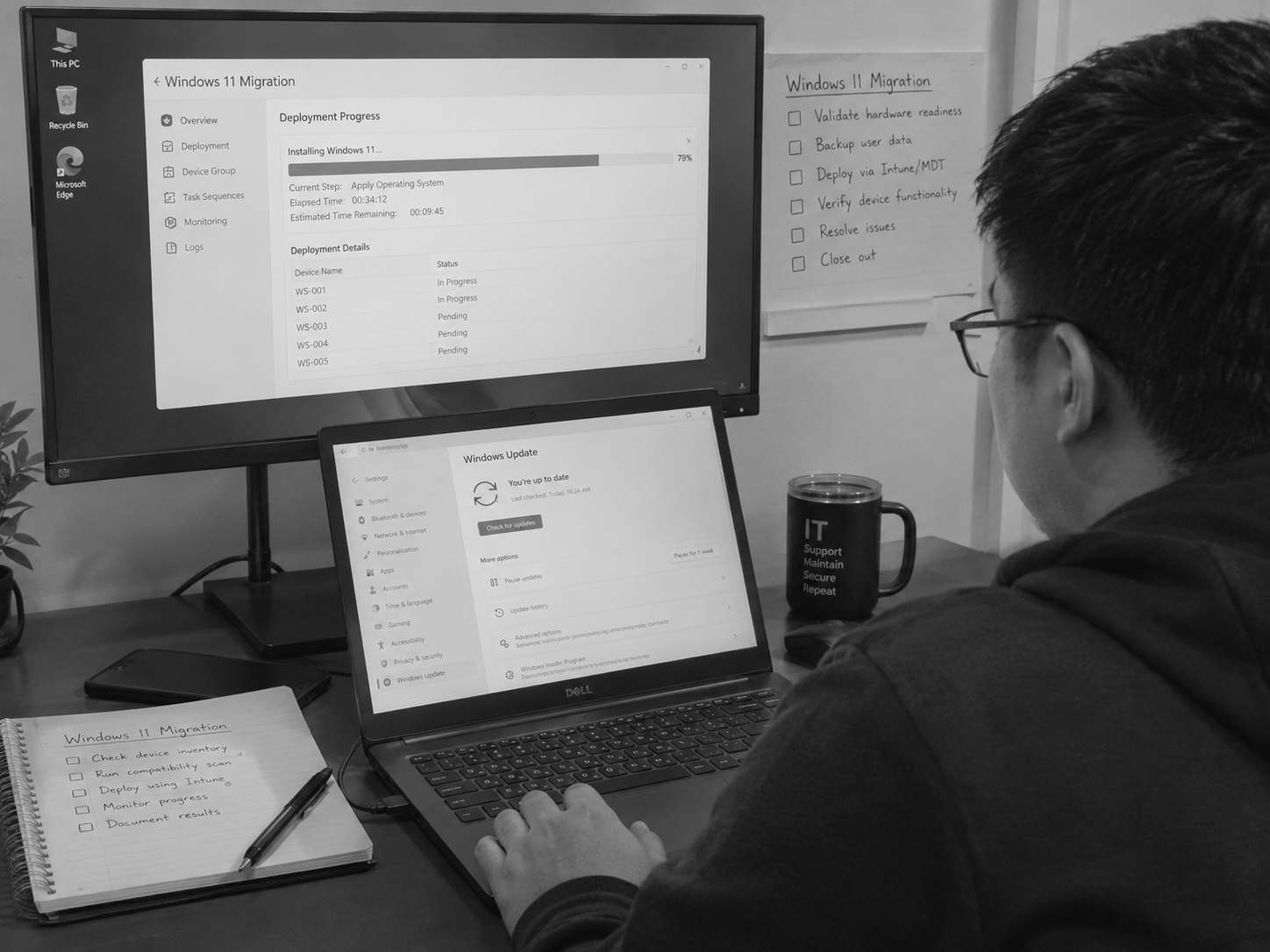
For MSPs managing ten, twenty, or thirty clients, that 27% figure represents a significant and urgent project backlog. Some portion of every client's endpoint fleet is still running Windows 10 — either because the hardware doesn't meet Windows 11's TPM 2.0 requirements (240 million PCs globally cannot upgrade, according to Canalys 2025 data cited by sobrii), because budget cycles delayed hardware refresh, or because the migration work has been sitting in the queue behind the operational demands that fill every local engineer's working day. The migration needs to happen. The local team does not have the bandwidth to make it happen without something else giving way. And this is the specific capacity problem that offshore project staff is positioned to solve.
Why the Windows 11 Migration Backlog Is a Bandwidth Problem, Not a Skills Problem
The Windows 11 migration work that most MSP clients need executed is not technically complex at the senior level. It is methodical, volume-heavy, and time-consuming — exactly the category of work that consumes disproportionate senior engineer hours because there is no one else to do it, not because it genuinely requires senior expertise to execute.
As Level.io's June 2026 Windows 10 migration guide for MSPs frames the challenge: the question for MSPs is no longer deciding whether to migrate, but determining how many Windows 10 devices remain across the client portfolio, whether those devices are ready for Windows 11, and what the execution plan looks like for each endpoint. That assessment and execution work — device inventory, compatibility checking, upgrade sequencing, driver validation, application dependency testing, staged rollout execution, user communication, and post-migration verification — is a structured, repeatable process. A Filipino offshore engineer trained on your RMM and deployment tooling can execute that process across client endpoints remotely, with the same reliability a local engineer delivers, at a fraction of the cost and without consuming the local team's hours.
The skills problem — knowing how to plan a Windows 11 migration — belongs with your senior local engineer who designs the approach, validates compatibility, and signs off on the rollout plan. The bandwidth problem — executing sixty endpoints across five clients in the next eight weeks — belongs with offshore project staff who can run the execution systematically while the local team manages the operational queue.
What the ESU Economics Mean for the Urgency of the MSP Conversation
The Extended Security Updates cost structure creates a specific commercial conversation that MSPs with a Windows 11 migration service can leverage directly. Sobrii's analysis puts the ESU cost at $61 per device in Year 1, $122 in Year 2, and $244 in Year 3. For a client running 40 Windows 10 devices in Year 1 of ESU, that is $2,440 annually in Microsoft fees — fees that purchase nothing except continued patch coverage for an operating system that has been end-of-lifed. In Year 2, the same client is paying $4,880. In Year 3, $9,760.
The MSP conversation with a client in ESU is straightforward: the money currently going to Microsoft in ESU fees is money that could fund the hardware refresh and migration project that eliminates the ongoing exposure. An MSP that can execute that migration project — including the assessment, hardware procurement assistance, migration execution, and post-migration support — is converting a client's ongoing ESU cost into a one-time project fee that produces a permanent resolution. The client spends approximately the same total amount over the migration timeline, ends up with supported endpoints, and eliminates the compounding annual ESU liability.
That is a billable project with a compelling client ROI story. The question is whether the MSP has the bandwidth to execute it — and for most locally-staffed small MSPs with full operational queues, the bandwidth is the constraint that has been preventing the project conversation from starting.
The Offshore Project Execution Model for Windows 11 Rollouts
The offshore Windows 11 migration model splits the work between local and offshore staff along the skills-versus-bandwidth axis. The local senior engineer does the work that requires their expertise and their client relationship. The offshore engineer executes the repeatable technical work that does not.
Local senior engineer responsibilities: Client environment assessment — identifying which endpoints are Windows 11 compatible, which require hardware replacement, and which fall into the ESU-bridge category while hardware is procured. Migration strategy design — determining rollout sequencing, pilot group selection, rollback approach, and communication plan. Client communication — presenting the migration plan, managing expectations, and handling strategic questions about the project. Quality assurance and sign-off — reviewing migration outcomes, approving closure of each phase, and managing any escalations that require senior judgment.
Offshore project engineer responsibilities: Running compatibility assessments using Readiness Compatibility Toolkit or equivalent through the RMM across assigned endpoints. Documenting assessment results in a standardised format for the senior engineer's review. Executing in-place upgrades on compatible endpoints via Windows Update for Business, Microsoft Deployment Toolkit, or RMM deployment policies — monitoring progress, handling driver issues within scope, and logging outcomes per device. Coordinating with end users on upgrade scheduling via email using approved communication templates. Post-migration verification — confirming each endpoint is running Windows 11, applications are functioning, and the device is enrolled in the correct management policies. Updating asset inventory documentation with post-migration device status.
This split means the senior engineer's time is consumed by the work that requires them — the assessment, the strategy, the client conversation, the QA — rather than the execution hours that constitute the bulk of a rollout. Across a twenty-client portfolio with an average of thirty endpoints per client, that execution split can represent the difference between a migration backlog that clears in three months and one that sits for twelve.
The Compatibility Assessment That Shapes Everything Else
The incompatibility problem that sobrii's analysis flags — 240 million PCs globally unable to upgrade due to TPM 2.0 requirements — is more manageable at the MSP level than at the macro level, but it still requires a structured assessment to understand scope before execution begins. The Acronis MSP guide to Windows 11 migrations identifies the key compatibility requirements: TPM 2.0, Secure Boot capability, a supported processor (Intel 8th gen or later, AMD Zen 2 or later), 64GB or more storage, and 4GB RAM minimum. Endpoints that fail any of these criteria require hardware replacement before migration is possible — and hardware replacement timelines affect the entire project schedule.
An offshore engineer running a compatibility assessment across a client's endpoint fleet using your RMM — generating a compatibility report that classifies each device as "upgrade-ready," "requires hardware refresh," or "ESU candidate pending refresh" — produces the raw material for the senior engineer's migration plan without consuming the senior engineer's hours on the assessment execution itself. That assessment, done systematically across all clients in the portfolio, gives the MSP a complete picture of the total migration backlog within a week or two rather than as a piecemeal discovery that takes months of scattered attention.
| Migration Phase | Local Senior Engineer | Offshore Project Engineer | Estimated Time Split |
|---|---|---|---|
| Compatibility assessment | Reviews report, makes hardware refresh decisions, advises client | Runs RMM-based compatibility scan, generates per-device report, classifies endpoints | 20% local / 80% offshore |
| Migration strategy and client communication | Designs rollout sequence, communicates with client, sets expectations | Prepares documentation, drafts end-user communication from templates | 70% local / 30% offshore |
| Upgrade execution (compatible endpoints) | Available for escalation; reviews daily progress log | Executes upgrades via RMM deployment policy or MDT, monitors progress, resolves driver issues within scope | 10% local / 90% offshore |
| Hardware refresh coordination (incompatible endpoints) | Approves procurement, coordinates with client on hardware selection and budget | Tracks procurement status, prepares new device setup documentation, assists with onboarding new hardware | 40% local / 60% offshore |
| Post-migration verification and documentation | Reviews verification report, signs off on project completion | Verifies each endpoint, updates asset inventory, produces completion report per client | 15% local / 85% offshore |
The Revenue Model for MSP Windows 11 Migration Services
The Windows 11 migration backlog is not just a client security problem — it is a project revenue opportunity that most MSPs are not fully capturing because the bandwidth to execute is the constraint rather than the demand. With offshore project staff absorbing the execution work, the project becomes billable from the first client conversation rather than aspirationally billable pending local team availability.
The billing model for Windows 11 migration services typically runs on a per-device fee for in-place upgrades (often $35–$75 per device depending on complexity and client size) and a separate hardware procurement and setup fee for endpoints requiring replacement. Across a client with 40 devices — 30 compatible for in-place upgrade and 10 requiring hardware refresh — the project billing might total $3,500–$6,000 for the upgrade execution plus hardware setup fees. The offshore engineer executing the 30 in-place upgrades at $18–$22 effective hourly cost produces a gross margin on that component that is significantly higher than the same execution at local senior engineer rates.
The ESU conversation also creates an urgency frame that the offshore execution model makes actionable: the client paying $61 per device in Year 1 ESU has a financial incentive to execute the migration now rather than defer it. The MSP that can credibly commit to executing thirty devices in four weeks — because offshore project staff creates that bandwidth — wins the project that the locally-constrained MSP cannot start for three months.
For MSPs who have already added an offshore helpdesk technician and want to understand how offshore project staff could clear the Windows 11 migration backlog across their client portfolio, the Konnect guide on offshore staffing for MSP project work covers the full project engagement model — including scope design, Filipino project engineer profiles, and the local/offshore split that makes project work reliable.
📅 Book a 20-minute call: https://meet.brevo.com/konnectph
✉️ Email us: hello@konnect.ph
If you have a Windows 11 migration backlog and want to understand what an offshore project engineer engagement would look like for your specific client portfolio and tooling, that is exactly the conversation the 20-minute call is for.
About the Author
Vilbert Fermin is the founder of Konnect, a remote staffing company connecting North American and Australian businesses with top Filipino talent. With deep expertise in IT support and remote team management, Vilbert helps MSPs access skilled technical professionals without the overhead of full-time domestic IT staff. His mission is to showcase Filipino excellence while helping businesses stay protected, productive, and competitive through strategic remote staffing.
Related Resources
Windows 11 Migration Guide: ESU Costs, Compatibility, and the 5-Step Plan – sobrii
Windows 10 Migration: How MSPs Can Plan Windows 11 Upgrades for Clients – Level.io
MSP Guide for Windows 11: When Should You Switch Your Clients? – Acronis
Offshore Staffing for MSP Project Work: Migrations, Deployments, and Infrastructure Builds – Konnect